Find
Live availability across every course and channel.


The operating system for modern golf
Run every round, transaction, member relationship, and on-course handoff from one connected platform.
Inside the product
One system does not mean one crowded screen. GolfBot gives each team the focused workspace it needs, backed by the same live data.
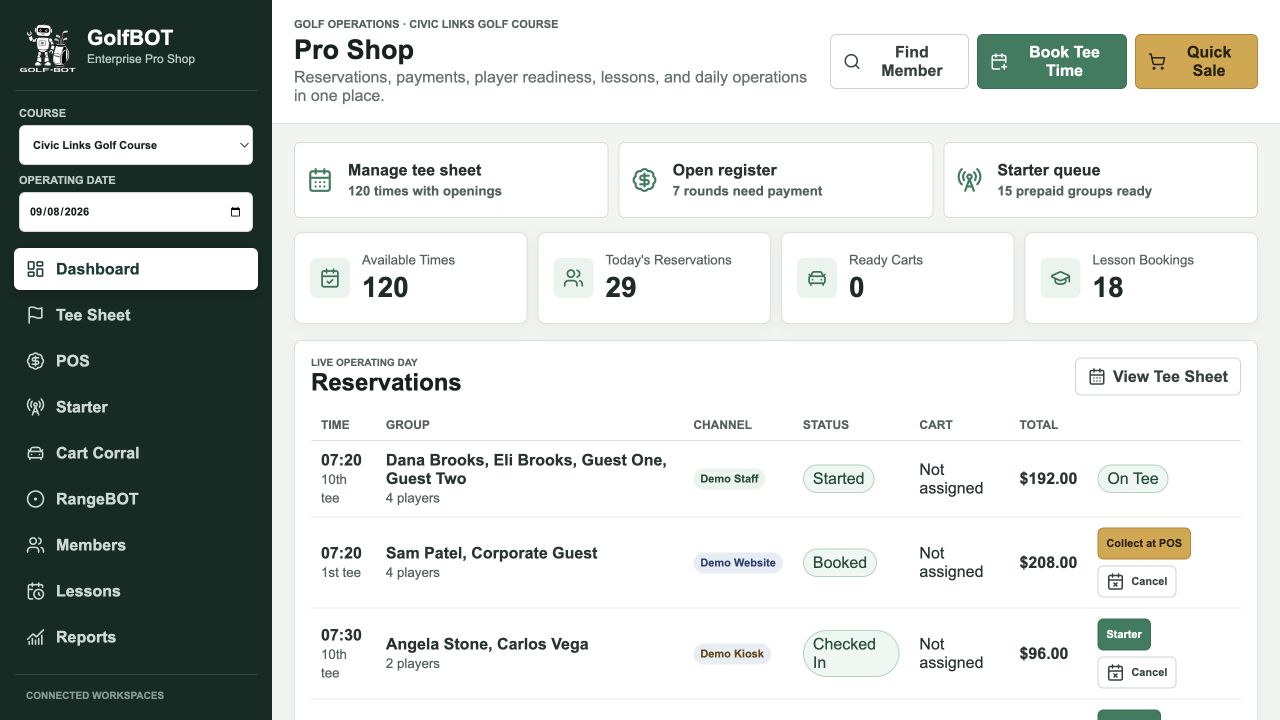
The full golf enterprise
GolfBot is designed around the actual work of a course: selling inventory, serving members, getting players to the tee, managing physical assets, and closing the day with defensible records.
Color-coded openings, player limits, multi-course inventory, released-round alerts, moves, cancellations, and channel attribution.
A register built for golf, not adapted from generic retail.
One editable account for the primary member and family.
Keep the first tee moving with a paid, verified queue.
Connect fleet readiness to the reservation it serves.
Turn instruction inventory into a bookable service.
Sell and redeem range inventory without a second workflow.
Recognize the member wherever they spend on property.
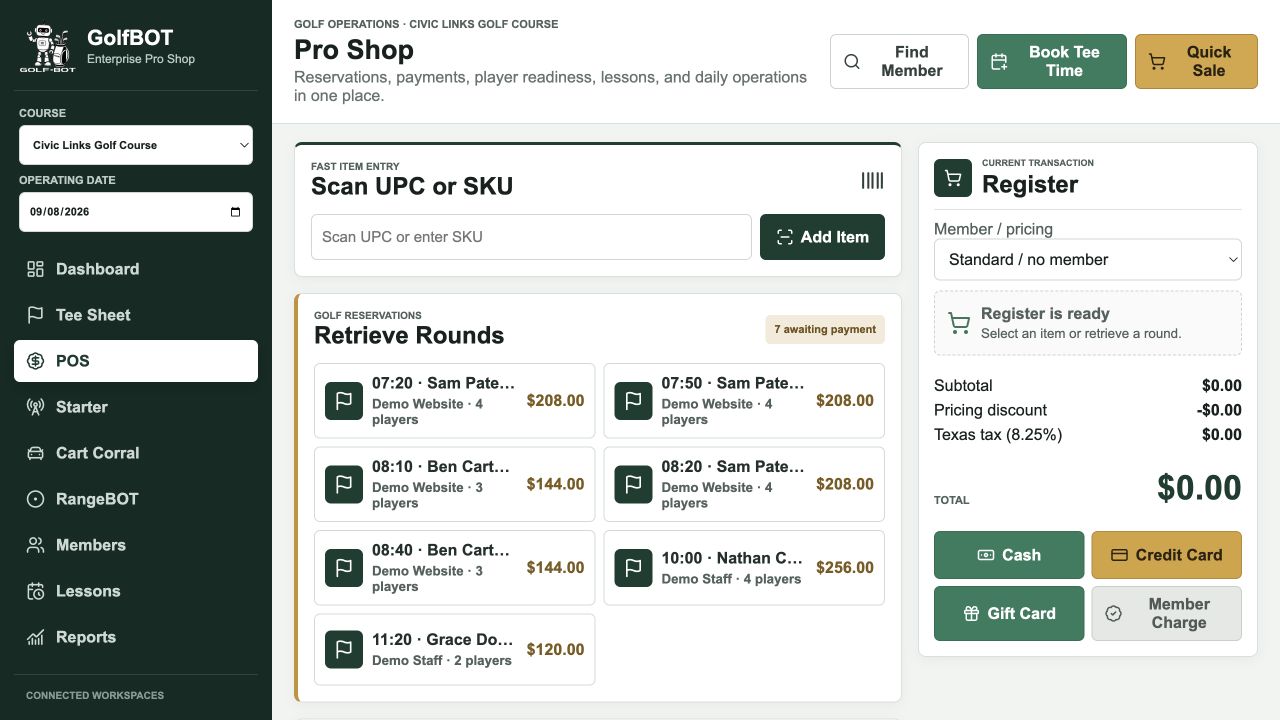

Revenue without re-entry
The GolfBot register combines green fees, merchandise, range baskets, gift cards, and member charges in one transaction. Unpaid reservations are retrieved directly into the register; paid reservations advance to operations immediately.
One inventory, three ways to book

A branded reservation module inside the course's own web experience, with member login, tee times, lessons, account editing, and cancellations.
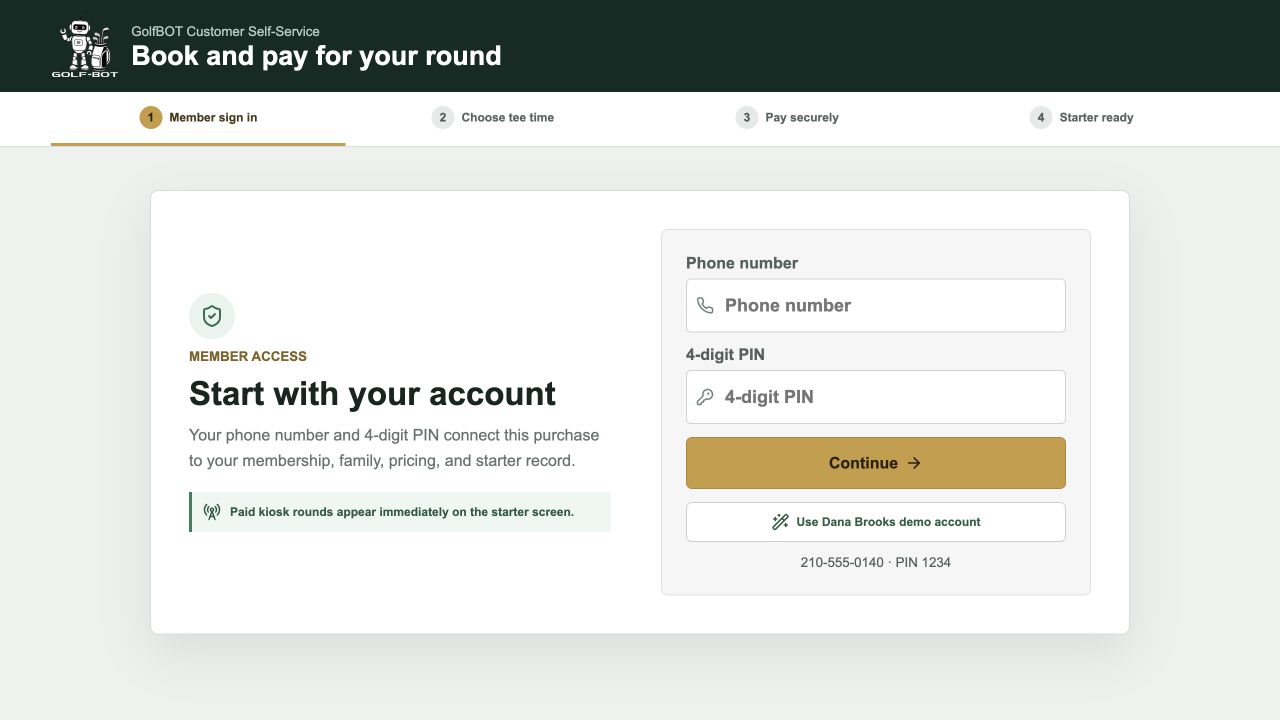
A focused same-day and next-day flow: identify, choose, pay, and arrive immediately in the starter's ready queue.
Full staff control for bookings, moves, cancellations, collection, check-in, customer service, and operating exceptions.
Decision-ready reporting
Filter by course and date range, review on screen, print, download as PDF, or email a finished report. Delivery events are recorded in the database.
Open report centerBuilt for operational integrity
GolfBot uses PHP 8 and MySQL 8 as the system of record for courses, members, inventory, tee times, reservations, payments, lessons, carts, range codes, and reports. Customer channels and staff workspaces read and write the same live records.
Operational data lives in structured MySQL tables, not browser storage or static files.
Creates and updates are re-selected inside the transaction before commit.
Failed validation or verification stops the transaction and preserves the prior state.
Website, kiosk, staff, starter, cart, range, and restaurant workflows share authoritative status.
Merchant questions
Yes. Staff can switch courses and operating dates from the pro shop, while tee inventory, reservations, carts, reporting, and customer booking remain course-aware.
The reservation is written as paid and appears directly in the starter workflow. It does not need to be collected or checked in again at the pro shop.
Yes. Retrieve Rounds lists every reservation awaiting payment. Staff can add the round to the register, combine it with retail items, accept payment, print the receipt, and advance the group to check-in.
The primary member and family share an account structure with editable contact information, pricing level, charging privileges, charge limits, communication preferences, and agreement status.
Yes. GolfBot provides standalone starter and cart workspaces plus a combined operations screen for facilities where one team performs both roles.
Yes. The live working model includes three demo courses, reservations in multiple payment and readiness states, members, lessons, carts, pro shop inventory, reports, and customer booking surfaces.
See the whole day, connected